Head Gestures as Cursor
Enable Viacam or eViacam is a free camera motion software created by CREA Software. The open source software is utilized to replace mouse input with head gestures through a camera.
Top Recommended Alternative
Utilizing Camera as Mouse
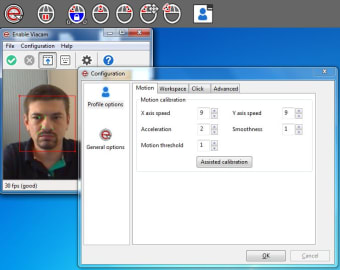
eViacam requires first an integrated or external camera in order to function. Wireless webcams would also work well with the software. There are no additional hardware or peripherals needed to use the software. The software is primarily used for navigating within a computer if a mouse is not available or physical interaction with it is impossible. The software tracks any head movement and interprets it as a mouse pointer.
Hands-Free Operation
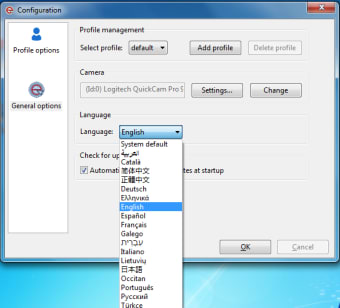
The software provides the easiest, hands-free way of navigating on a computer. Users simply move their head to do basic computing operation as well as accessing every program. The first advantage of using wireless webcam in conjunction with this software is that physical obstructions like wirings and dots from mice, as well as extra hardware are removed from the work space. It can be practically tried on a wireless and hands-free environment such as gaming. Other advantages of using the software are: it has an intuitive functionality and it helps users with disability to open their computers if they have difficulty pressing the mouse. Users can customize the software’s default settings to fit their personal preferences or needs. They can adjust mouse variables like dwelling time, motion acceleration and smoothness, and pointer speed. These options will help users adapt on using the software. The software is only compatible with Windows OS, particularly Windows XP and above. It also works with GNU/Linux after opening the terminal and running a special command. Once the software is downloaded, it has an easy installation process since it has a integrated configuration wizard, at the same time it eliminates the cumbersome procedure of software assistance once it is completed on downloading. Users have to set up a well lit room when using the software so that it recognizes their head movement easily. They also have to precisely position their head on the software’s detection area to make valid gestures.
Open Source Development
The software developer has provided the source code on their official GitHub repository so that users are free to contribute on improving it. They can also expect updates from the developers to improve the software’s performance.
An Alternative Aid for Mouse Navigation
eViacam can be considered as an accessibility aid for anyone who are limited with medical conditions. They can simply move their head and get their movements detected by a computer’s camera.